


Jump to section
Video Overview
Connectors: Your AI Agent Now Works Across Your Tools
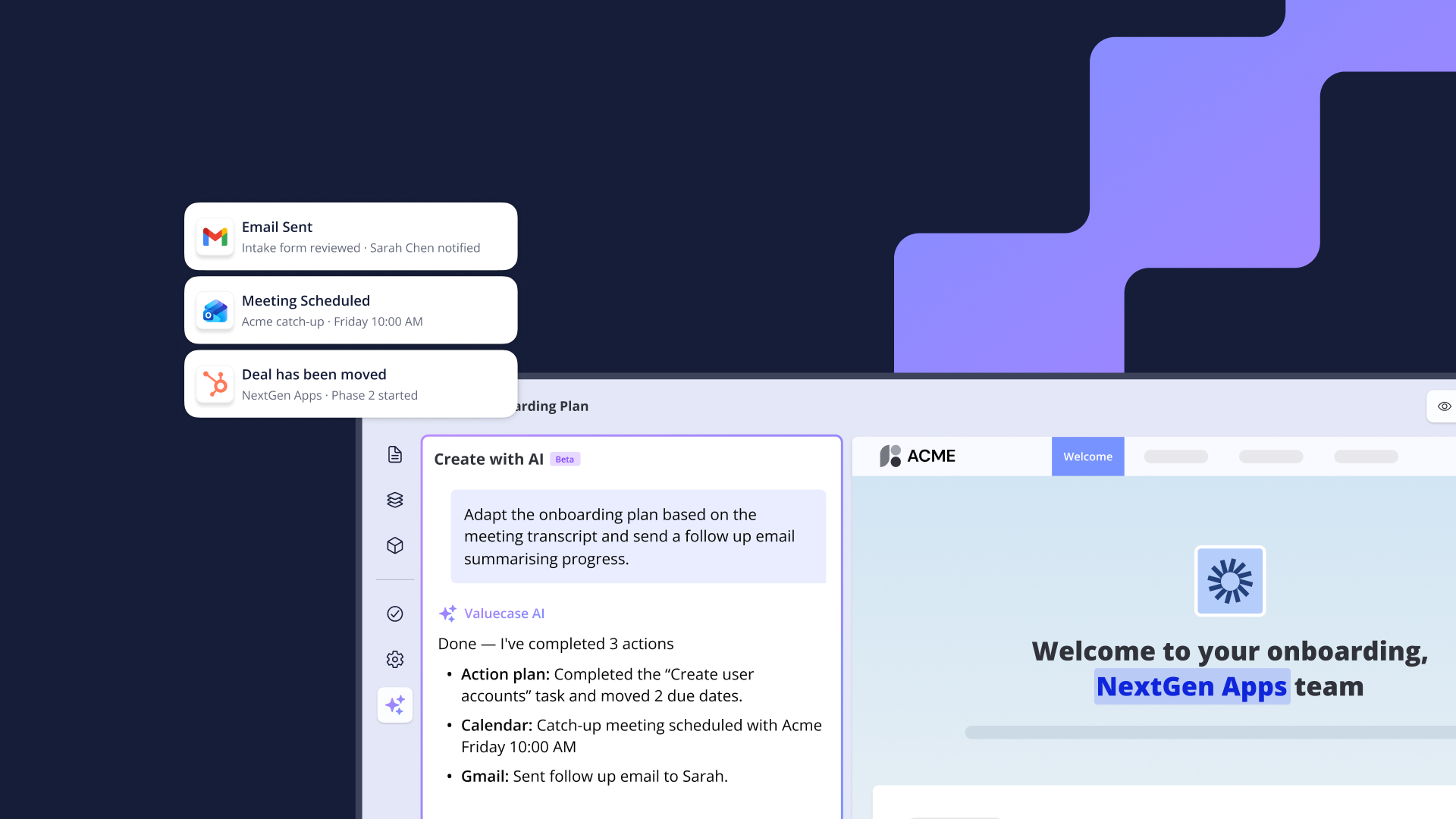
Until now, the Valuecase AI agent could build and edit Spaces – but it couldn’t reach outside of Valuecase. If you wanted to send a follow-up email, check a deal in HubSpot, or schedule a meeting, you had to switch tabs and do it yourself.
That changes today. The AI agent now connects to the tools your team uses every day:
Gmail – draft and send follow-up emails based on what’s happening in the Space. The agent uses the context it already has – action plan status, customer info, recent activity – to write a relevant follow-up. You review, edit if needed, and send.
Google Calendar – schedule meetings and check-ins directly from a Space. No tab switching, no copy-pasting availability.
Google Drive – pull in documents and materials without leaving Valuecase. The agent can find and attach relevant files based on what’s in the Space.
HubSpot – read deal data, update properties, and keep your CRM in sync with what’s actually happening in the customer workspace.
Custom MCP support – beyond the built-in connectors, you can add any tool with an MCP server. Connect your meeting recorder, internal tools, or anything else your team uses. If it has an MCP server, your Valuecase AI agent can use it.
The agent stays in the loop with you – it drafts, suggests, and prepares, but you review and approve before anything goes out.
Connector use cases to try:
- Draft a follow-up email from Space context via Gmail
- Chase customers – AI nudges stalled deals end-to-end
- Schedule a follow-up meeting in Google Calendar
- Prepare for a customer meeting with context from HubSpot, Calendar, and Drive
- Create a HubSpot note with key deadlines from your action plan
- Email progress updates to stakeholders
Valuecase MCP: Create Spaces from Any AI Tool
We shipped a Valuecase MCP server. If your team uses Claude, ChatGPT, Cursor, or any AI tool that supports MCP – it can now create and manage Valuecase Spaces.
Connect it once and your AI tool can create customer workspaces – sales rooms, onboarding hubs, project Spaces – from context it already has. Describe the deal, the customer, the project, and it builds the Space: content, timeline, action plan, ready to share.
This is especially useful for teams that already work in AI tools and want to create customer workspaces without switching to Valuecase first.
MCP use cases to try:
- Create Spaces from Claude or ChatGPT – manage accounts in natural language
- Monday morning briefing – AI-generated weekly overview of deadlines and stalled spaces
- Onboarding risk scoring – proactive alerts for at-risk accounts
- Chase stalled onboardings with context – AI drafts re-engagement emails combining Space, CRM, and meeting data
- Weekly customer status reports – automated reports from Valuecase and HubSpot
June 16 Update: 11 New MCP Tools
One week after launch, we’ve expanded the Valuecase MCP from read + create to full workspace management. Here’s what’s new:
Action plan management – mark tasks as complete, shift due dates, and assign tasks to stakeholders. After a customer call, your AI tool can update the plan based on what was discussed – no manual clicking through each task.
Comments – post updates into spaces and read customer replies. The AI can summarize progress and post it as a comment, keeping the customer in the loop inside the workspace.
Form submissions – read and process what customers submitted. Pull intake questionnaire answers, technical requirements, or feedback directly through the MCP.
Stakeholders – see who’s involved in a space. Your AI tool can check who has access, what roles they have, and route work accordingly.
Space properties – update internal and customer-facing metadata. Keep space status, tags, and custom fields in sync with what’s actually happening.
Archive – close out completed workspaces. When an onboarding is done, the AI can wrap it up cleanly.
New use cases to try:
- Update the plan after a call – AI pulls meeting transcripts from Drive, marks tasks done, shifts dates, posts a recap
- Reschedule slipping tasks – push all open dates forward in one message
- Post a progress update to the space – AI summarizes progress, posts a comment, drafts an email notification
- Wrap up a completed onboarding – mark tasks done, post congrats, draft handoff email, archive
A Note for Admins
Connectors can be turned on or off in your privacy settings. You stay in control of what the AI agent can access.
FAQ
Which connectors are available at launch?
Gmail, Google Calendar, Google Drive, and HubSpot. You can also add any custom MCP server.
Can the AI agent send emails without my approval?
No. The agent drafts emails and actions, but you review and approve before anything is sent or executed.
What AI tools work with the Valuecase MCP?
Any tool that supports MCP – Claude, ChatGPT, Cursor, and any custom agent your team builds.
Can I turn connectors off?
Yes. Admins can enable or disable connectors in privacy settings.
Does this cost extra?
No. MCP and connectors are included in all Valuecase plans.


