


Want to learn more about Valuecase? Let's talk today!
(We will help you set it up too)
Book your demo ->
Setup & training included
Preview of your sales process in Valuecase
100% personalised


The HubSpot–Valuecase integration brings your customer‑facing spaces right into your CRM, so you can manage onboarding projects, guide prospects through their journey and keep everyone aligned without ever leaving HubSpot.
Stop context‑switching between tools. From any HubSpot deal, reps can open the Valuecase card, click Create Space and spin up a personalised customer space in a few clicks. Deal information such as company name and contact details is automatically pre‑filled. Teams can then select the right template, add or adjust details, and immediately share a link to their buyer.
Need to jump back into an existing space? The integration embeds the space viewer right in the deal sidebar, so you can open and edit it without leaving HubSpot.
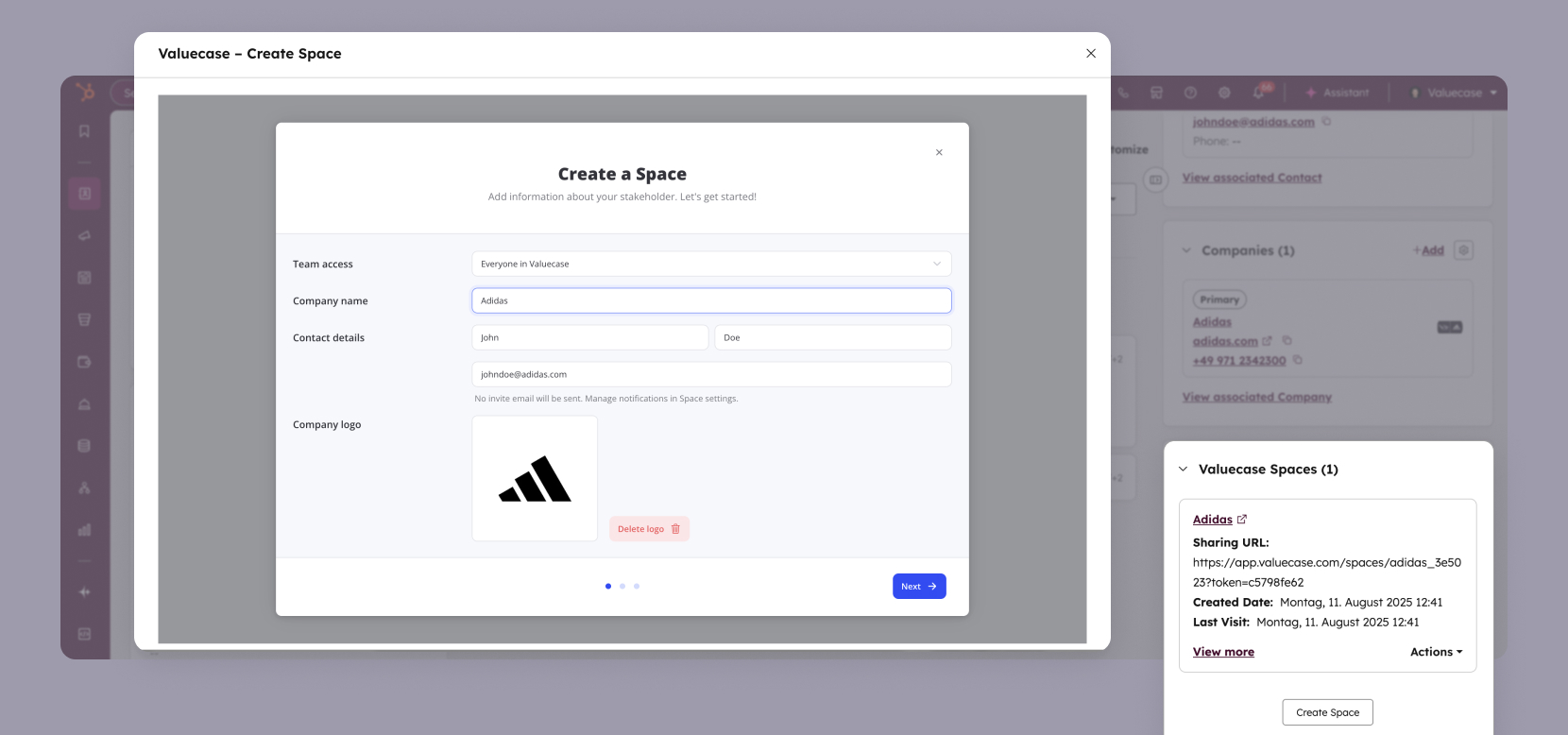
Learn how to create spaces from HubSpot →
Whether you're onboarding hundreds of customers or guiding prospects through complex deals, manual steps slow you down. Valuecase's native actions in HubSpot workflows allow you to create or update spaces automatically. Trigger automation when a deal enters a new stage, when a field value changes or when a renewal is coming up.
Dynamic space properties let you control what buyers see based on CRM data – from product‑specific pages to contract values. You can keep spaces in sync as deals progress; you can automatically reveal new tasks or hide irrelevant steps when a deal moves forward.
Learn about HubSpot workflow automation →
You shouldn't have to guess what your customers are doing. The integration synchronises 16+ data points back to HubSpot – including last task completed, current milestone, next due date, MAP status and engagement score. These properties live on your deal, contact or company records.
Properties synced include:
With this data in HubSpot, you can:
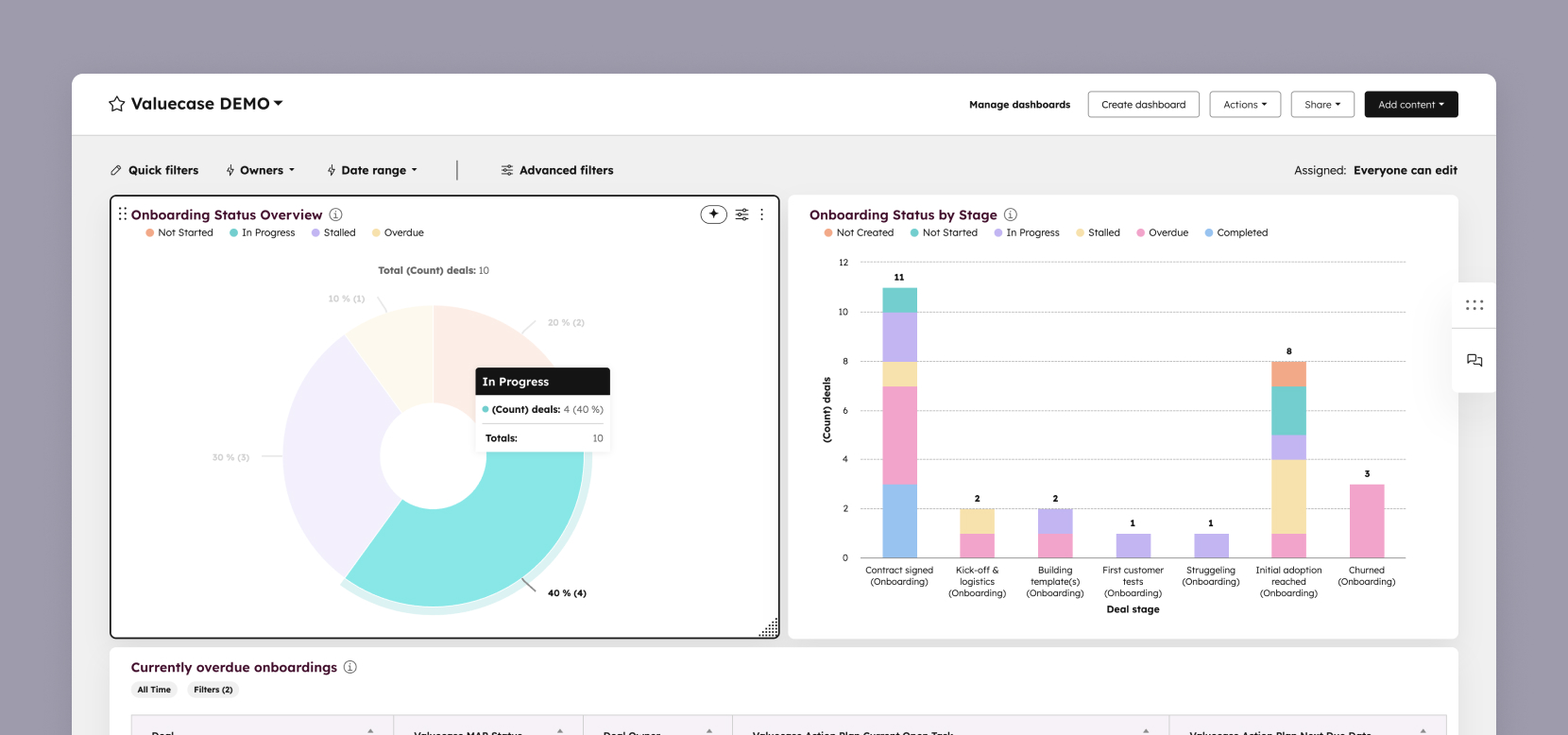
Learn about Valuecase properties in HubSpot →
The integration doesn't just push data to HubSpot – it lets you trigger workflows and update fields based on what customers do in Valuecase. When buyers complete milestones, submit forms or finish tasks, automatically update HubSpot properties and trigger the next steps in your workflow.
Example automations:
This closes the loop between what customers do in Valuecase and what happens in your CRM – enabling true end-to-end automation.

Valuecase's HubSpot integration is flexible enough for every team across the customer lifecycle:
Onboarding teams can personalise milestones and tasks for each new customer, automate creation and updates, and track progress without toggling tools.
Sales teams can use spaces as digital sales rooms to share collateral, mutual action plans and timelines directly from the deal record, while automations ensure prospects always see the next step.
Customer success teams can launch renewal or expansion spaces, surface implementation milestones and update HubSpot fields when customers complete steps.
Because you control the template, tasks and forms that appear in a space based on HubSpot fields, your customer experience scales without manual work.
It seamlessly connects Valuecase and HubSpot so you can create, edit and share spaces without leaving your CRM.
The integration adds 16+ properties to deals, contacts and companies – including visits, engagement score, milestones, due dates and completed tasks.
Yes. HubSpot workflows can automatically create or update spaces based on deal stage, field changes or other triggers. Our automations also support HubSpot actions, allowing you to e.g. set a HubSpot deal stage based on progress in Valuecase.
Yes. You can connect Valuecase spaces to deals, tickets, service objects, or custom objects—whatever fits your workflow.
Yes. Our integration supports custom objects.
See pricing for more info
Yes. After signing up for a free trial, you have access to the integration.


