


Jump to section
This is one of our biggest releases of the year. Valuecase action plans can now handle complex projects – enterprise POCs, implementations, account plans – and the AI assistant works across your whole account, not just one Space.
Here's what's new.
AI Assistant Across All Your Spaces and Templates
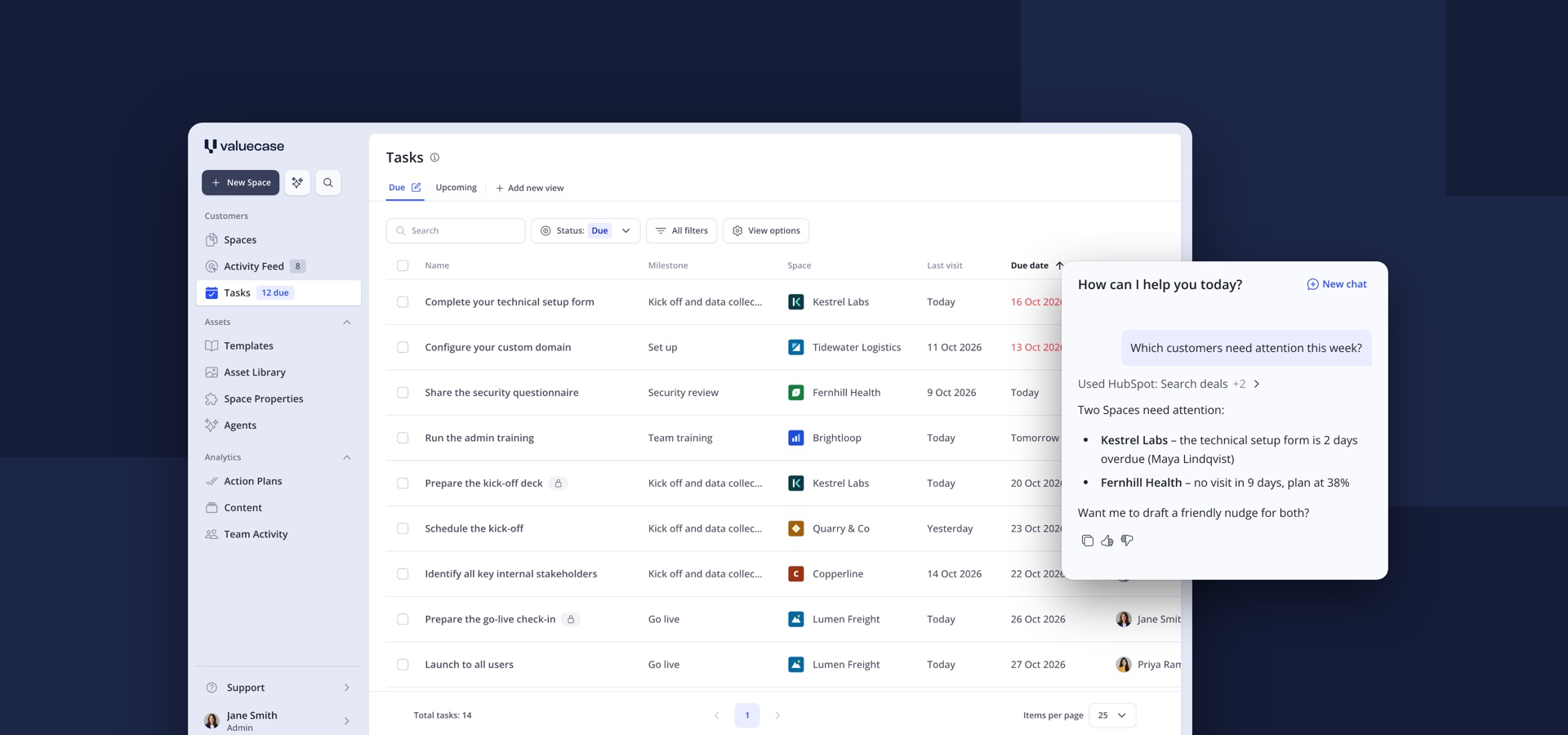
The Valuecase AI assistant now works across every Space and template in your account – inside any Space and in a new AI tab on the dashboard.
What you can do with it:
- Transfer changes: copy a page or block from one Space or template into another
- Update several Spaces at once: roll a template change out to Spaces that are already running
- Ask about your whole account: for example, "Which of my Spaces are overdue?"
- Create Spaces from the chat: for example, "Create a Space for Acme from our onboarding template"
Conversations carry over: start a chat on the dashboard, click a Space the assistant created, and the same conversation continues inside the Space – and back on the dashboard. Past chats are saved in the sidebar.
The in-app assistant now has the same capabilities as connecting Claude or ChatGPT to Valuecase through our MCP server. See 40 AI use cases for ideas.
Internal Tasks in Action Plans
Internal tasks are tasks only your team sees, right inside the action plan you share with your customer.
Before, internal steps meant splitting the plan into an internal page and an external one. Now one plan holds the whole project:
- Internal tasks show a lock icon and stay hidden from customers
- Only your team members can be assigned or mentioned on them
- Customers see a short hint when a milestone has open internal tasks, so progress never looks wrong
Custom Task Statuses
Custom task statuses add your own steps between Open and Done – for example "In progress", "In review" or "Waiting on customer".
You set them up once in a template's action plan settings. Statuses are suggested across templates, so your team reuses the same ones and can filter by them in the task dashboard.
Jira Integration
The Valuecase Jira integration syncs action plan tasks with Jira issues. It's built for teams whose engineers work in Jira while customers follow the plan in Valuecase.
- Mark template tasks with "Sync to Jira" – Valuecase creates the issues when you create a Space
- Pull existing Jira issues into a Space as tasks
- When an issue is done in Jira, the task is ticked off in Valuecase automatically
The Jira integration is available for Jira Cloud on the Growth and Scale plans.
Invite Stakeholders by Email
You can now invite stakeholders to a Space straight from the Share dialog, with a personal message – no more copying links into your own email. The dialog also shows everyone who has access to the Space.
Asset Library: Replace an Asset Everywhere
Replace an asset once in the Asset Library, and the new version appears in every template and Space that uses it. Before you replace, "View usage" shows exactly where the asset is used.
Embed Widget for Your Product
The embed widget shows a customer's Space progress inside your own product, with a link back to the Space. You set it up under Admin settings → API & Custom Apps and add one script to your app.
Quality of Life Improvements
- Reorder dashboard views by drag and drop
- Confidential form questions for API keys and passwords – encrypted, only the Space owner and internal stakeholders can reveal them
- New design options: background color, block style, corners and content width
- Workflow previews: test workflows in a preview Space that deletes itself afterwards
FAQ
Can customers see internal tasks?
No. Internal tasks are only visible to your team. Customers only see a hint that a milestone has open internal tasks.
Does the AI assistant work across Spaces from inside a Space too?
Yes. Inside any Space, the assistant can pull content from other Spaces and templates or push changes to them. The dashboard AI tab adds account-wide questions and Space creation.
Which plans include the Jira integration?
Growth and Scale, for Jira Cloud.
Do custom task statuses change how progress is calculated?
No. A task counts as complete only when it's Done.
What happens to Spaces when I replace an asset in the Asset Library?
The asset updates in every template and Space that uses it, including archived ones.


