


Jump to section
Three big updates in this release: forms get due dates and reminder emails so customers actually submit on time, email notification settings have been reworked into a single predictable flow, and workflows gain new triggers, a Webhook action, and dynamic placeholders in email actions.
Forms: Due Dates, Reminders, and Smarter Fields
The #1 piece of feedback we hear about forms isn't about the form itself – it's about getting customers to submit on time. This release adds three things to fix that, plus a few smaller field improvements.
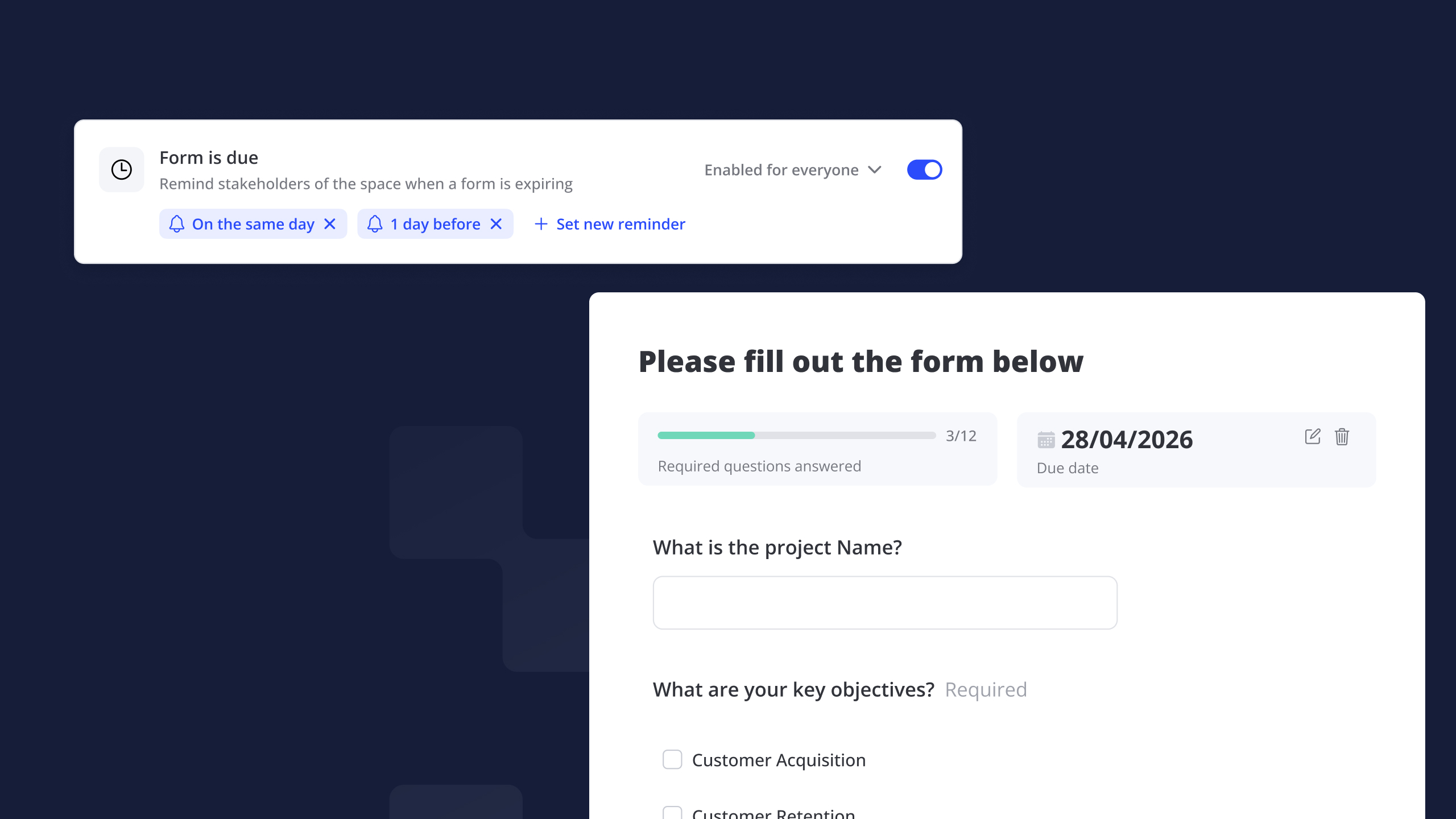
Due dates + reminders. Set an optional due date on any form. In templates, the date is relative to Space creation (e.g. “5 working days after kickoff”), using working days. In spaces, it resolves to an absolute date. Then configure reminder emails the same way as task reminders – “1 day before”, “on the same day”, and so on. Reminders only fire when a due date has been set.
Progress bar. Required questions show as “3/12 answered” at the top of the form. When everything's filled in but not yet submitted, a “Remember to submit!” prompt nudges customers to submit.
Smarter fields. Phone number validation on Short Text and Table columns (with localized hints), single-select dropdown columns in Table Questions, and a year jumper in the date picker.
Download as PDF. Export submissions as a tidy, print-ready PDF – images preview inline, files include download links.
Email Notifications: A Cleaner Settings Model
Notification settings are now easier to use with a clear on / off setting per notification and optional management by stakeholder. The old auto-enroll toggle behaved differently across templates and spaces, and silent additions or removals made the actual recipient list hard to predict – so we replaced it with one decision per notification.
Three states per notification. Disabled, Enabled for everyone (current and future stakeholders), or Only selected people. That's it.
Activation comes first. You can no longer enroll people on a notification that's switched off – flip it on first, then customize if you want a custom recipient list.
Always-on notifications are now visible. All comment notifications that are on by default are now listed in settings, so it's transparent what's being sent.
Existing settings have been migrated automatically – your current behavior is preserved.
Workflows: New Triggers, Webhooks, and Email Placeholders
Workflows already let you automate Spaces and tailor customer journeys. Based on your feedback, this release extends them in six ways.
Trigger on internal property updated. Start a workflow when a specific internal field changes (e.g. Status → “Ready for kickoff”). Use it to reveal new content, send notifications, or push updates to HubSpot.
Form inputs as trigger conditions. The “Form completed” trigger can now fire only when specific answers match your criteria.
Webhook action. Send structured POST payloads to your own systems from any workflow step.
Show individual blocks. Reveal a specific block, not just a whole page, as part of a workflow.
Popup CTAs. Add an optional button to in-app notifications that links straight to a specific block.
Placeholders in email actions. Include variables directly in workflow email subjects and bodies. The editor lists what's available for the selected template.
Other Improvements
- Mobile dashboard: view and search your Space list, open Space previews, use the activity feed, and switch via the burger menu – all from your phone browser.
- Cleaner block spacing: empty block titles no longer leave extra top spacing in Preview and Buyer View.
- Danish localization: switch your template language in template Settings.
Frequently Asked Questions
Do existing notification settings need to be reconfigured?
No. Existing settings are migrated automatically. If a notification was on with no manual changes, it becomes “Enabled for everyone”. If it was off with manual additions, it becomes “Only selected people”. Your current recipient lists are preserved.
Are form due dates required?
No, they're optional. If you don't set one, the indicator stays hidden in the customer view to keep things clean – sellers can still set one from the editor.
Do form reminders work without a due date?
No – reminders only fire when a due date has been set on the form. You can configure multiple reminders per form, just like task reminders.
Which placeholders are available in workflow email actions?
The editor shows the full list of placeholders available for the selected template – including standard properties and any custom properties used in that template.
Can I trigger a workflow from any internal property change?
Yes – the “Internal property updated” trigger can fire on any internal field, including custom ones. You can also filter on specific values (e.g. only fire when Status moves to “Ready for kickoff”).


