


Jump to section
Sidebar & Automations: Clearer Settings
Workflows and automations are some of the most powerful things you can do in Valuecase – but users told us they were hard to find and harder to keep track of. This release rebuilds the editor sidebar to fix that.
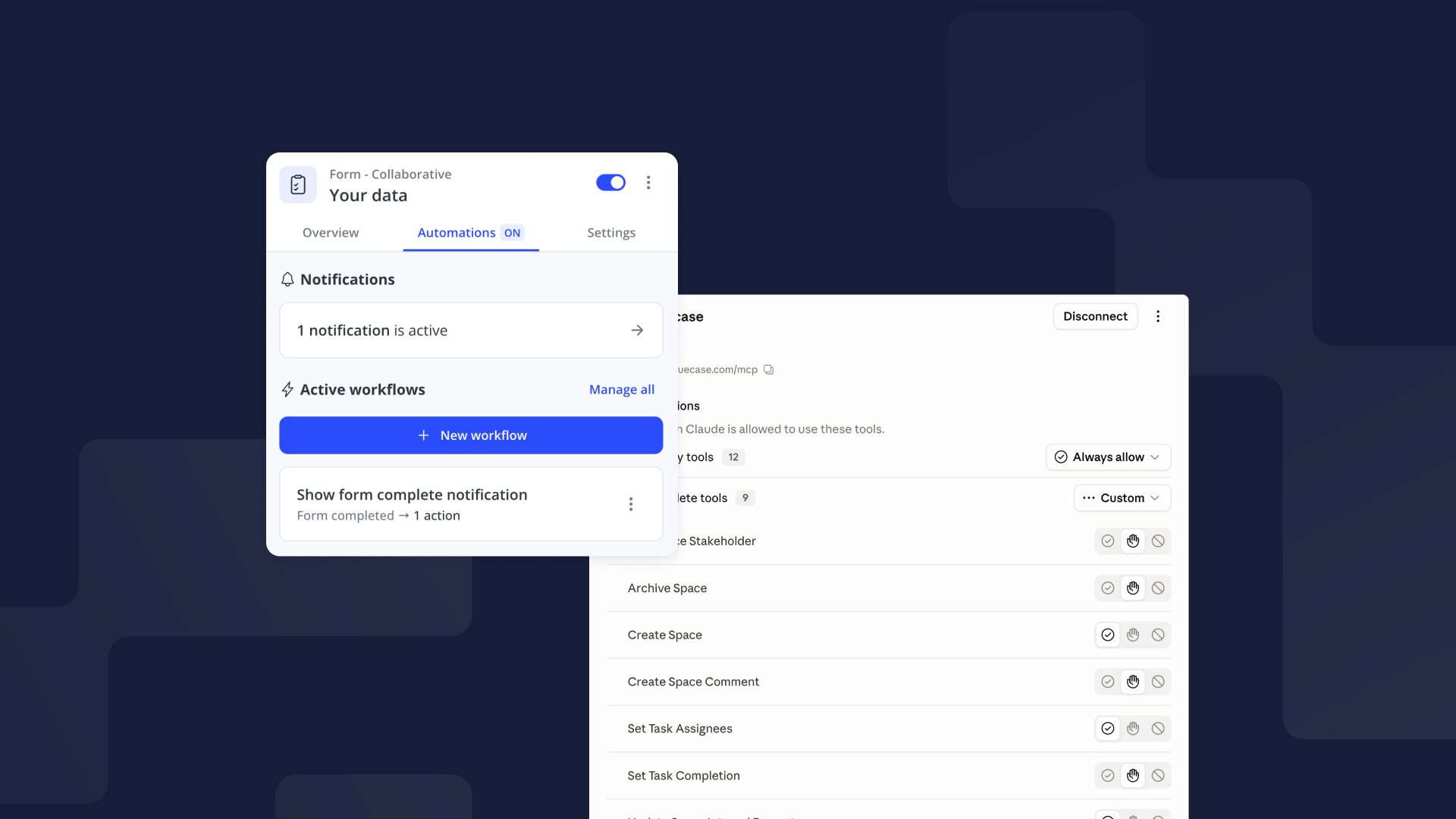
Automations tab – Forms and action plan blocks now have a dedicated Automations tab that shows the block's notification settings and the workflows running on it, all in one place.
Merged block settings – Appearance, Layout, and Settings are now combined into a single "Settings" section, so there's less hunting around.
New workflows table – The workflow settings screen in templates and spaces moves to a clean table: Name, Trigger, Location, Status (with an inline on/off toggle), Output, and Last run – plus search and filters by trigger, block, page, and creator.
Properties on templates too – The properties screen now also appears on templates, not just spaces. Each property expands to show exactly where it's used – placeholder text, visibility conditions, or workflows – and why it exists.
Valuecase MCP: More Actions
A few weeks ago we launched the Valuecase MCP. Now it does a lot more, so your AI tool of choice (Claude, ChatGPT, Cursor…) can act in Valuecase, not just read it.
What's new: manage action plan tasks (mark done, move due dates), update properties including internal status properties, read and write comments with real @mentions that actually notify, access form submissions, add or invite stakeholders, and archive stale or churned spaces.
If you're already connected, refresh the tools in your AI tool's MCP settings to pick up the new actions.
See it in action:
- Create a digital sales room from a call – turn a meeting transcript into a tailored Valuecase space with Claude or ChatGPT: youtube.com/watch?v=qZftJ8_Q_I4
- Weekly onboarding review agent – review onboarding progress across customers and surface what needs attention each week: youtube.com/watch?v=y6Va9juTSQc
- Validate form submissions with AI – spot missing answers and draft the right follow-up automatically: youtube.com/watch?v=Emv5casGauo
Reply to Comments by Email
Comments now work straight from your inbox – for your team and your customers. When anyone gets a comment notification and replies to that email, the reply isn't lost: it's posted back into the space as a comment and notifies everyone else on the thread. It's a big win for mobile-first teams and customers who'd rather not log in just to answer a quick question.
Other Improvements
- Edit tasks faster: change assignees and due dates directly from the task dashboard and the space side panel, without opening the full editor
- White-label sending email: admins can set a custom sending address so customer-facing emails come from your own domain (part of the custom domain add-on – reach out to set it up)
- Deep dive engagement insights (beta): a new view from the space activity sidebar with an engagement score and trend, top engaged stakeholders, best-performing content, and plan progress
- Pipedrive integration (beta): connect Valuecase with Pipedrive. This is in beta – reach out to us if you'd like to try it
- Drag & drop into Media blocks: the Media block's add area now works as a proper drop zone
- Swedish & Norwegian: added language support for customer-facing content
FAQ
Do I need to reconnect the MCP to get the new actions?
No need to reconnect – just refresh the tools in your AI tool's MCP settings and the new actions will appear.
Who can reply to comments by email?
Both your team and your customers. Anyone who receives a comment notification email can reply to it, and the reply is posted back into the space and notifies the thread.
Is white-label sending email included in my plan?
It's part of our custom domain add-on. Reach out and we'll help you set it up.
Is Deep dive available to everyone?
Deep dive engagement insights are rolling out in beta. We'd love your feedback as you try it.


